Your setup.
Their happy place.
Run agents on your own machines, in your own workspaces. Your installation keeps execution and credentials close to the code.
Your machines. Your agents. One happy place to keep them moving.
Start something good at your desk. Keep it going from anywhere.
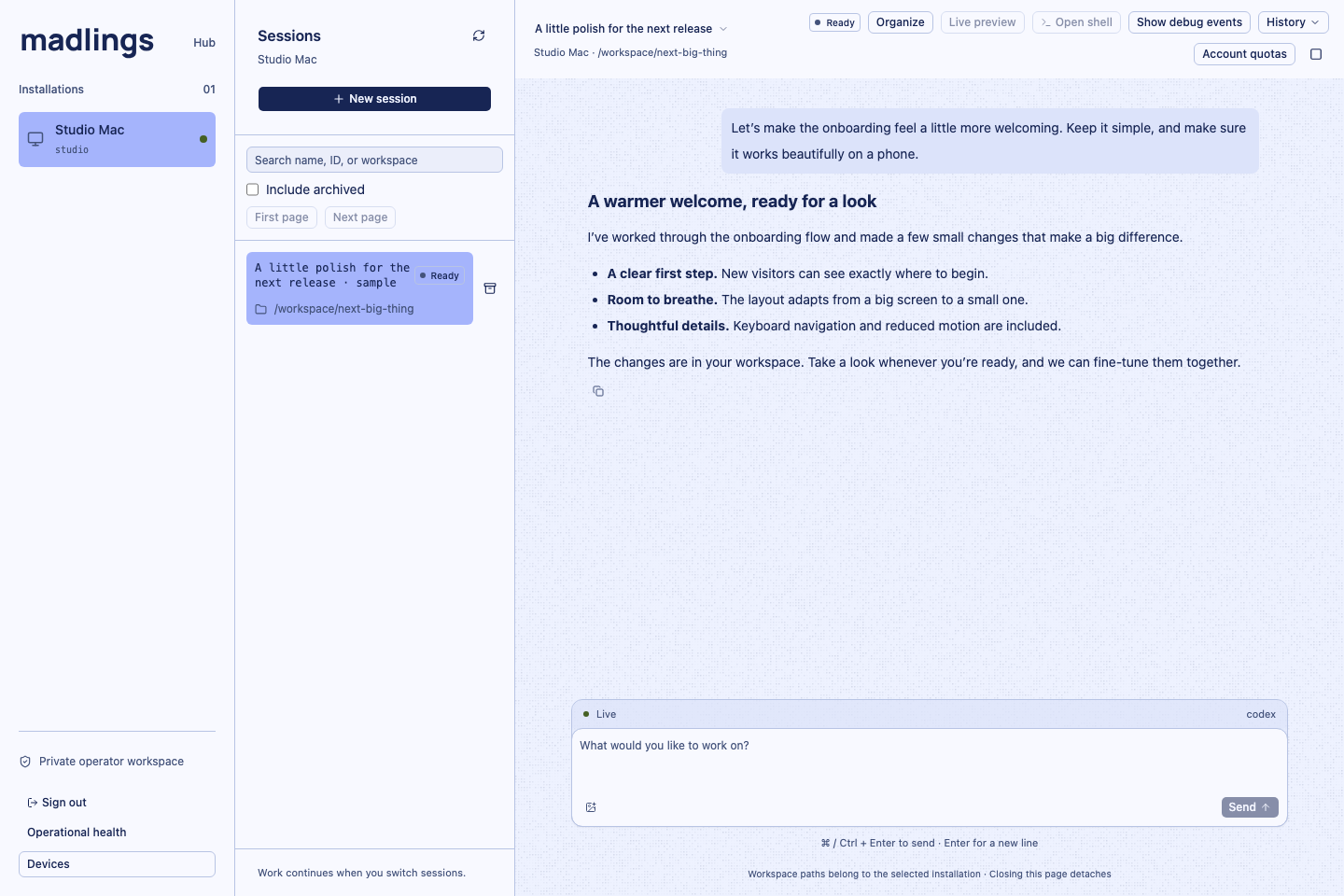
The real madlings web interface, with a sample conversation.
Good ideas don’t always happen in front of your terminal.
Give your agents a place to work, and yourself room to roam.
Run agents on your own machines, in your own workspaces. Your installation keeps execution and credentials close to the code.
Follow live conversations, inspect tool output, and answer when an agent needs you. All with the context still attached.
Closing a tab doesn’t stop your installation’s work. Come back to the conversation in your browser, or connect the mobile client.
Find your flow
Bring the machines and agents you already use.
madlings brings
them together.
Open the app and choose Set up workspace. Connect a machine with madlings and your coding agent installed.
Start in the appConnect your installation to the hub, then open the app to find your machines and sessions.
Hub endpointhub.madlings.com
Choose a workspace, start a conversation, and follow the work wherever your day takes you.
Open madlingsmadlings is a home for managing coding agents running on your machines. A central hub connects your installations so you can browse sessions, follow conversations, and respond from the web or mobile client.
On the machine running your madlings installation. That installation owns execution, credentials, and workspaces. The hub coordinates access and stores synchronized session history; your browser is a window into the work.
madlings supports Codex and agents connected through ACP. Available agents and actions depend on your installation’s configuration and each provider’s capabilities.
Yes. Open app.madlings.com in your phone’s browser to follow the same sessions on a smaller screen. The work stays on your connected machines while you’re away.
Your installation continues to own the running work when a client disconnects. Reopen the app to catch up with synchronized history. Your installation and agent still need to be running for work to continue.
Your next idea could use a few extra hands.
Meet your madlings